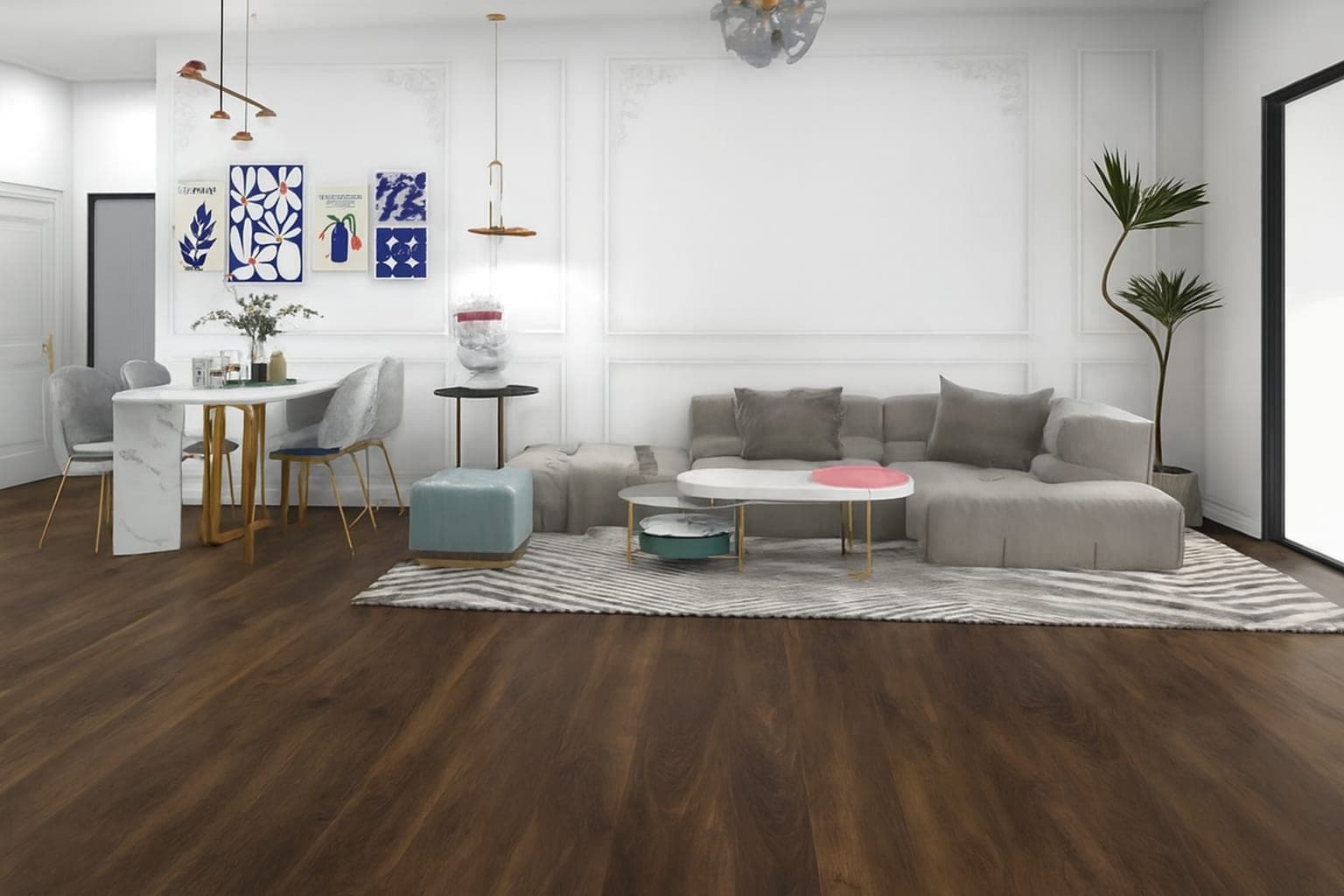
For flooring and tile & surfaces
The sample is a guess. The room is the sale.
Roomora Pro lays a floor from your catalog into a photograph they already took. Furniture stays. Light stays. The close moves home.
Free while you build. Billing starts when you publish.
01
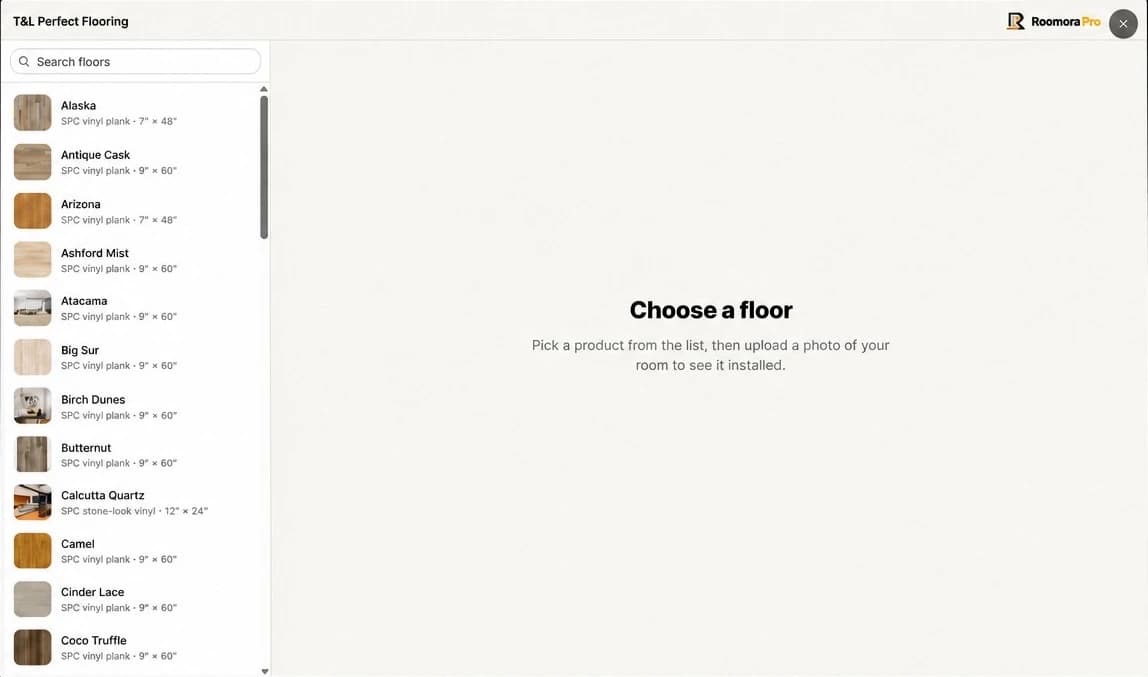
Browse the catalog
Shoppers pick the floor they want to see from your showroom.
02
Upload one photo
A picture from the phone is enough — no app, no account.
03
See it in the room
The floor is replaced in about a minute; the rest is kept.
04
Compare side by side
Before & After puts the original and the preview together.
Both sides of the counter
The visualizer the shopper touches, and the desk where you read what they did with it.
The desk behind the showroom
Every visualization lands in your account. Catalog, embed, and the floors people actually tried — without asking anyone for a report.
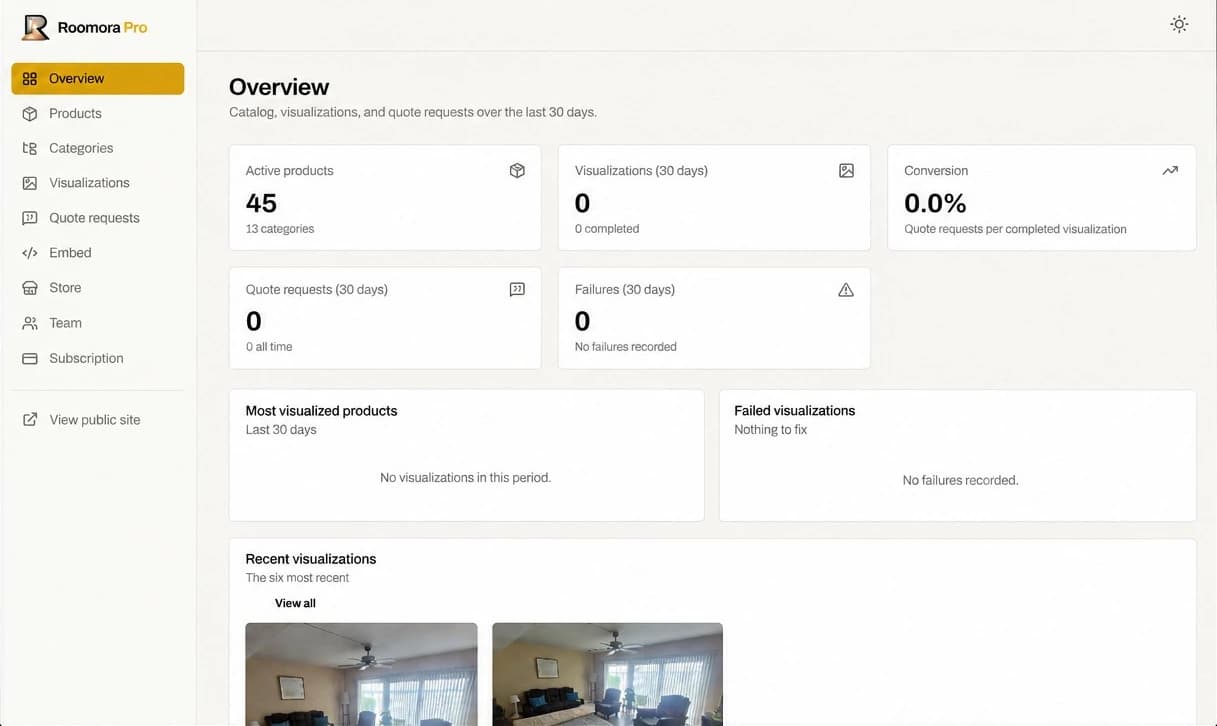
- The catalog
- Add, edit and retire products, grouped the way your showroom is organized.
- What they tried
- Visualizations and quote requests over 30 days, with the floors that moved first.
- The house
- Embed code, store presentation, and logins for the people who close with you.
Why stores choose Roomora Pro
Roomora Pro combines a customer photo experience, a digital product catalog, and options for presenting that experience online — starting from the standard catalog and moving to your own products and branding when you are ready.
A preview of the real room
The customer's own photo is the starting point. The engine replaces the floor and preserves the furniture, the rugs, the walls, and the light that were already there.
BeforeAfter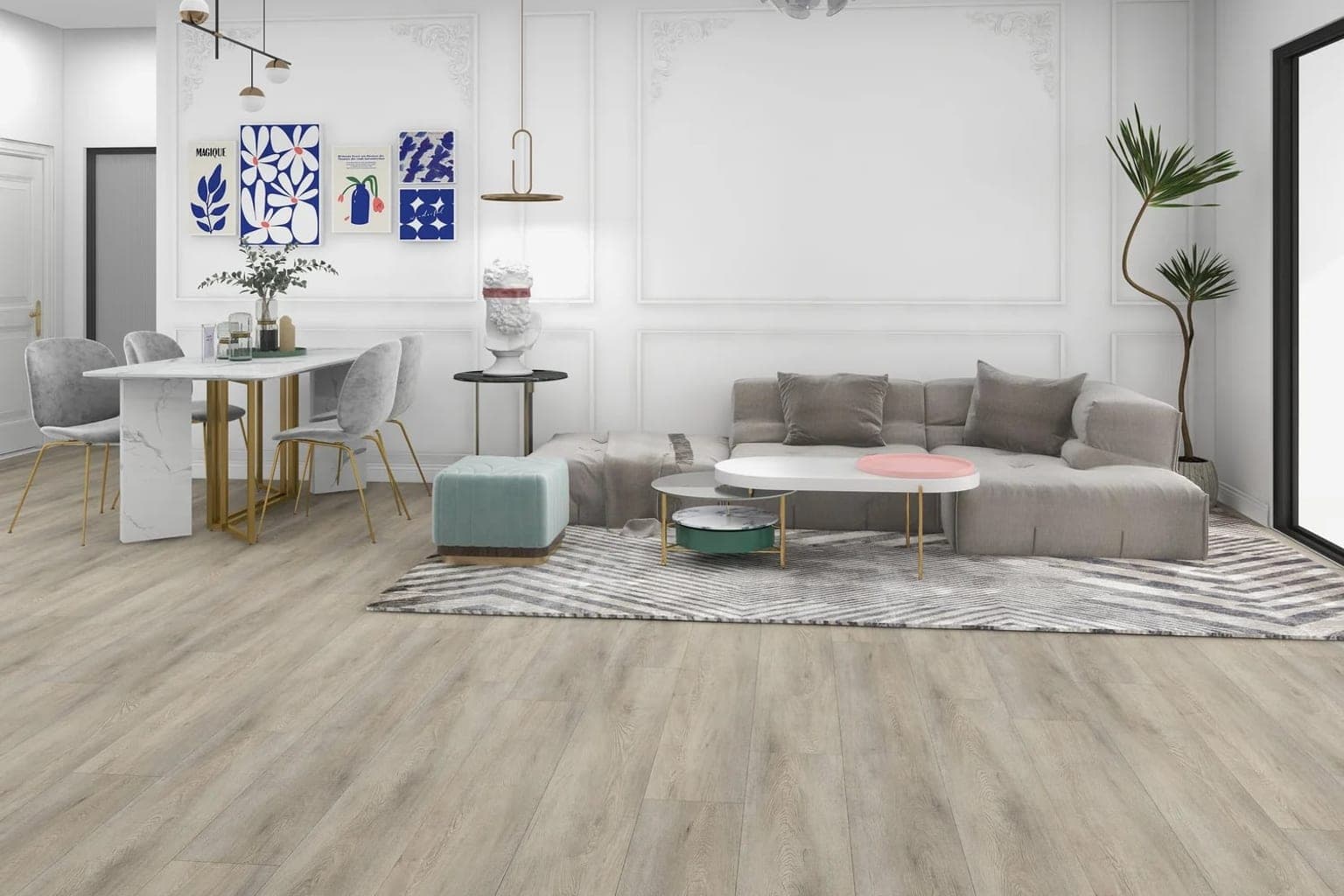
- One photo from a phone, no app and no customer account
- About a minute from upload to preview
- Before & After comparison on the same photo
From account to a showroom you can share
Create the store, prepare the catalog, configure presentation, test the experience, then publish. You have time to understand the tool before a customer sees it.
Five steps · free until you publish · 30 days included
- 01
Create your store account
Register your store and begin exploring. Your account is free while you build the catalog and run test visualizations, giving you a starting point for learning the experience and preparing your showroom.
- 02
Prepare your product catalog
Start with the standard catalog or add your own flooring products on Growth or Scale. For your own products, manage details such as names, textures, materials, and finishes to organize the selection customers will explore.
- 03
Set up your store presentation
Configure the showroom options included in your plan. Growth and Scale support your store’s logo and branding on the online catalog, while Starter presents the standard catalog with our branding.
- 04
Test the customer experience
Run test visualizations, review the results, and become familiar with the Before & After comparison. Use this stage to check your product selection and prepare your team to explain the experience.
- 05
Publish and start sharing
Publishing starts your billing and makes the online showroom available. Use the included embed code if you want the visualizer on your own website.
What your store gets
- A simple experience for shoppers
- Customers can use a photo from their phone without downloading an app or creating a customer account. That makes it easier to introduce visualization while they are browsing or speaking with someone from your team.
- Your products and store branding
- Growth and Scale let you add your own products and display your logo and brand on the online catalog. Choose the plan that fits the selection you want customers to explore and the way you want your store presented.
- Options with or without a website
- Add the visualizer to your existing website or use an online catalog if your store does not have one. Roomora Pro gives you a way to offer the experience based on your current online presence.
- Time to build before you publish
- Create your account, prepare your catalog, and run test visualizations while you build. The implementation charge applies when you publish, so you can explore the setup before making the showroom available to customers.
Built for products that transform spaces
Flooring and floor surfaces are live today. The categories below are what we are building next — tell us which one you need and we will let you know when it ships.
Live today
Flooring
Help customers visualize hardwood, vinyl, laminate, carpet, and other flooring products in their own rooms.
Live today
Tile & Surfaces
Show how tile, porcelain, and stone flooring transforms kitchens, bathrooms, and living spaces.
Not built yet
Countertops
Visualize countertop materials and finishes in real kitchen and bathroom environments.
Not built yet
Furniture
Help customers explore furniture products placed within their own rooms.
Not built yet
Wall Coverings
Visualize wallpaper, wall panels, textures, and decorative finishes.
Not built yet
Paint & Finishes
Show customers how different colors and finishes can transform a space.
The showroom, by scale
Build your catalog before you publish. Implementation is $80.00 once and includes the first 30 days. Monthly billing starts after that, automatically.
Starter
$49.00/mo
billed monthly
- Complete Roomora Pro catalog
- Online catalog for stores without a website
- Carries the Roomora Pro brand — no custom branding
- 100 visualizations a month
- Embed code for your own website
Growth
Most stores$129.00/mo
billed monthly
- Complete Roomora Pro catalog
- 30 products of your own
- Online catalog for stores without a website
- Your own logo and brand on the online catalog
- 300 visualizations a month
- Embed code for your own website
One catalog, your whole dealer network
Publish your catalog once and give every dealer their own storefront and login. Change a photo or a price in your account and it updates across the network — the price per dealer drops as the network grows.
Scale 20
$499.00/mo
billed monthly · $24.95 per dealer
- Complete Roomora Pro catalog
- Unlimited products of your own
- Online catalog for stores without a website
- Your own logo and brand on the online catalog
- 800 visualizations a month
- Up to 20 dealer seats, 30 visualizations each
- Embed code for your own website
Scale 50
$799.00/mo
billed monthly · $15.98 per dealer
- Complete Roomora Pro catalog
- Unlimited products of your own
- Online catalog for stores without a website
- Your own logo and brand on the online catalog
- 800 visualizations a month
- Up to 50 dealer seats, 30 visualizations each
- Embed code for your own website
Scale 100
$1,199.00/mo
billed monthly · $11.99 per dealer
- Complete Roomora Pro catalog
- Unlimited products of your own
- Online catalog for stores without a website
- Your own logo and brand on the online catalog
- 800 visualizations a month
- Up to 100 dealer seats, 30 visualizations each
- Embed code for your own website
Signing up is free. Implementation ($80.00) is charged when you publish, includes 30 days, then the monthly plan you chose. Cancel from the dashboard at any time.
Questions before you start
How photos are used, which products you can include, and what happens when you publish — the answers explain the current Roomora Pro offering and the differences that matter when setting up your showroom.
Still have questions?
Open the live demo- What does Roomora Pro visualize today?
- Roomora Pro currently visualizes flooring products in a customer's room photo, including tile used as flooring. Countertops, furniture, wall coverings, and paint & finishes are on the roadmap and are not part of the current offering — you can join the waitlist for each of them on the homepage.
- Can I add my store's own products?
- Yes. Growth includes up to 30 of your own products, and Scale has no product limit. Starter uses the standard Roomora Pro catalog. Growth and Scale also put your store's logo and branding on the online catalog.
- Do customers need an app or an account?
- No. Customers do not download an app or create a customer account to use the visualization experience. They choose a flooring product and upload a photo of their space to generate a preview.
- Do I need a website?
- No. Every plan includes an online catalog that stores without a website can use. If you already have a website, the included embed code lets you add the visualizer to your existing page, and it only runs on the domains you authorize.
- How long does a visualization take?
- About a minute. The preview can then be reviewed alongside the original room photo using the Before & After comparison.
- Does a preview replace a physical sample?
- No. The preview helps customers explore how flooring could look in their room. It should be used alongside physical samples and product specifications when evaluating color, texture, dimensions, and the details of an actual installation.
- When does billing begin?
- Creating your account, building the catalog, and running test visualizations are free while you prepare your showroom. Publishing triggers the one-time $80 implementation charge, which includes your first 30 days. Your selected monthly plan begins automatically after that period.
Explore the platform
Detailed guides to each part of the product — what it visualizes, how the showroom works, and how to put it on your own website.
- AI flooring visualizerLet customers visualize hardwood, vinyl, laminate, and other flooring products in their own rooms with AI-powered product visualization.
- AI tile visualizerHelp customers see how tile and porcelain products look in their kitchens, bathrooms, and other spaces with AI-powered visualization.
- AI room visualizerUpload a photo of your room and visualize different flooring products, materials, and finishes with AI.
- Virtual showroomCreate an interactive virtual showroom where customers can explore your products and visualize them in their own spaces.
- Product visualizationTurn your product catalog into an interactive visual experience with AI-powered product visualization.
Your catalog. Their room. The close.
Free while you build and test. The $80 implementation charge applies when you publish and includes your first 30 days.